
Yes, you can save and manage documents within an Opportunity.
How does it work?
Each Opportunity allows you to upload and store relevant documents, helping you keep all important files in one place.
How to upload documents
- Open the Opportunity
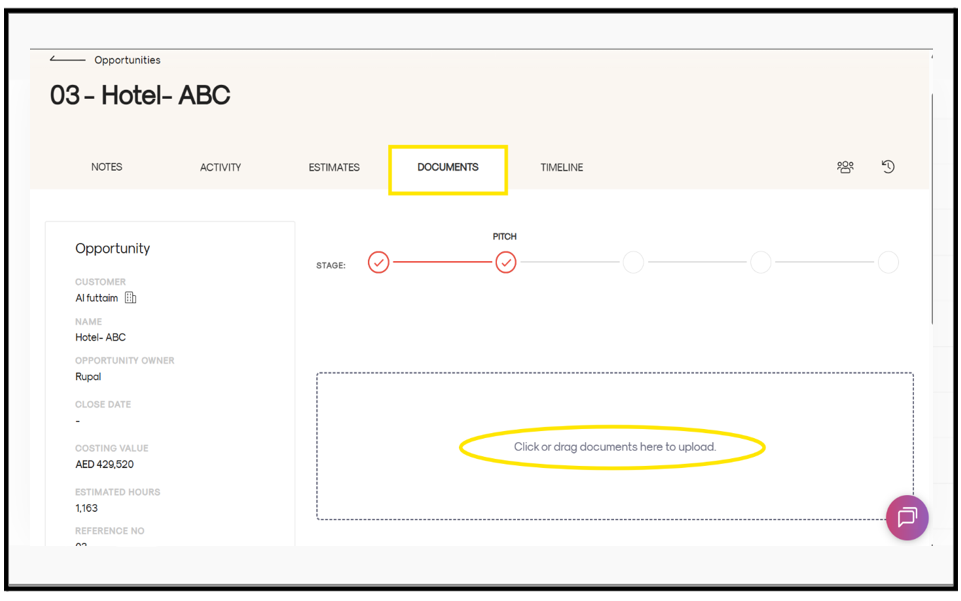
- Navigate to the Documents tab (4th tab)
- Click or drag and drop files to upload
After uploading
- You can edit and update the document type (e.g., brochure, specifications, CAD document, etc.)
- Add a description if needed
- Click on Save File (red button) to confirm
This ensures all your Opportunity-related documents are well-organized and easily accessible.