
Yes, the Owner can be updated at any time if responsibility needs to be transferred to another team member.
How to change the Owner
- Open the Project/Opportunity
- On the left side, locate the Project Details section
- Click on Edit (shown in red)
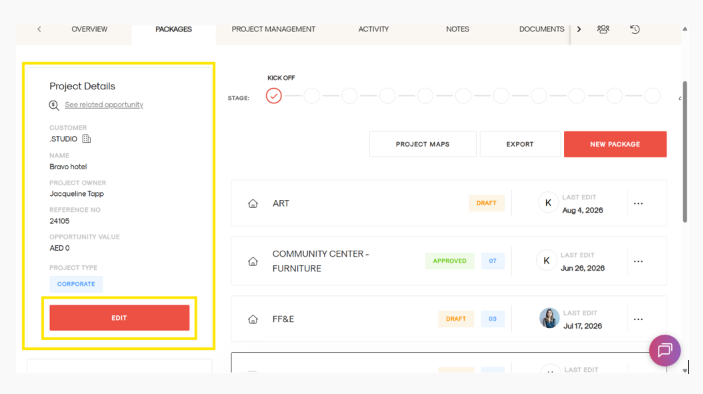
- In the edit form, find the Project Owner field
- Click the dropdown to view the list of users
- Select the user you want to assign as the new Owner
- Click Update Project
Once updated, the ownership will be successfully transferred to the selected user.