
You can create a Project directly from an Opportunity by following these steps:
- Open the Opportunity.
- Move the Project Stage to Won.
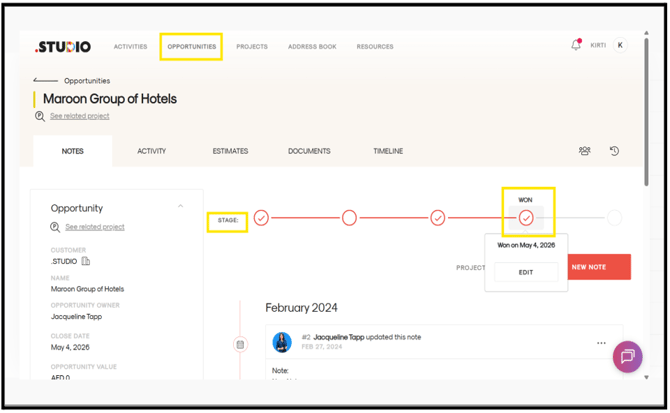
- A form will appear.
- Enter the required details such as:
- Comments
- Project reference number
- Opportunity value
- Date
- Click Save and Switch to the Project.
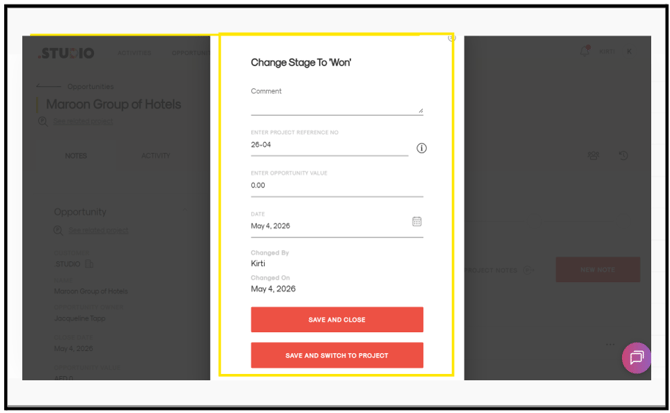
The project will be created automatically, and you will be taken directly into the project once it has been created.