
You can customize the columns in the Opportunities list view by following these steps:
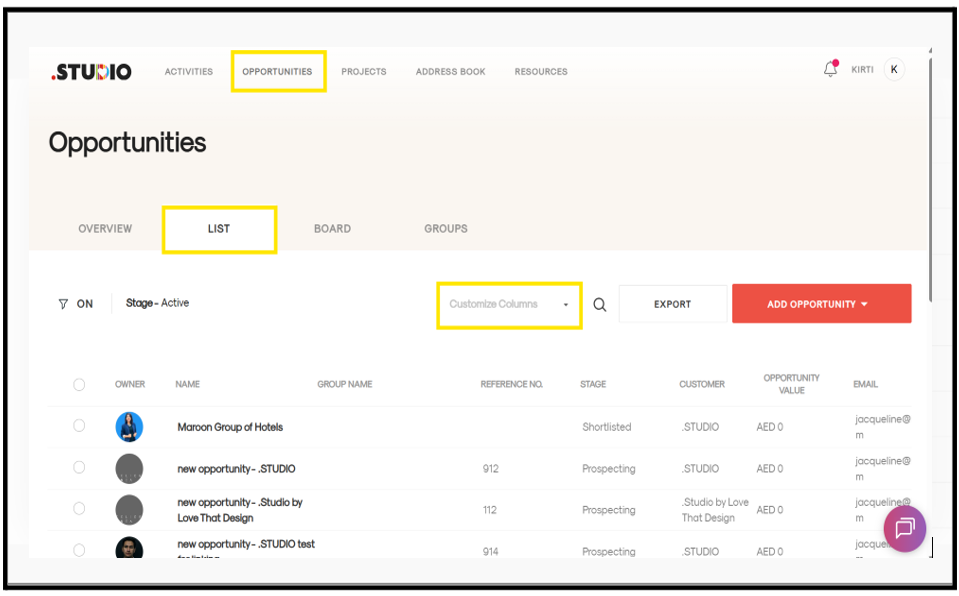
- Go to the Opportunities tab.
- Open the List View to see all your Opportunities.
- Click on Customize Columns.
- A list of available column options will appear.
- Select the columns you want to display using the checkboxes and uncheck the ones you don’t need.
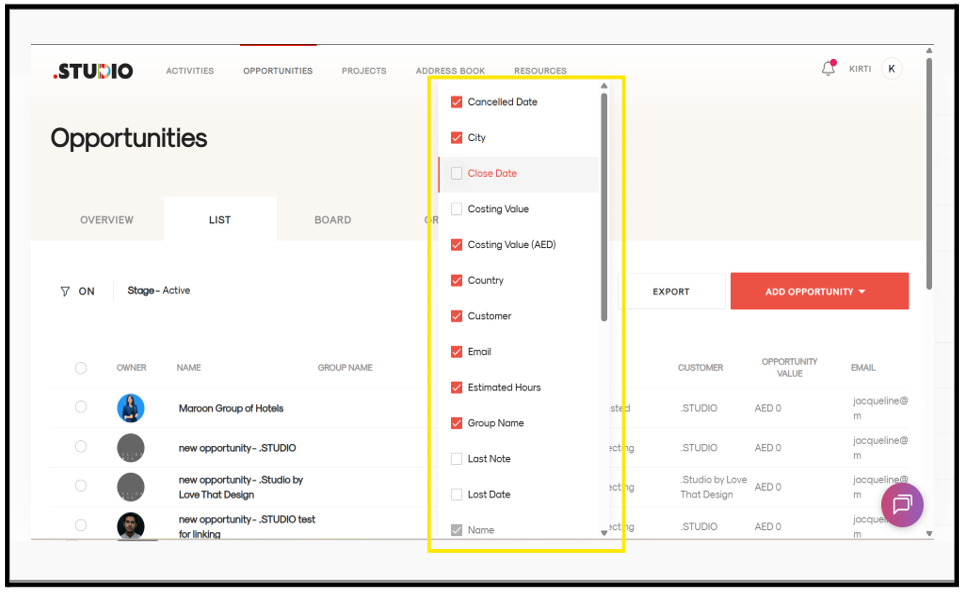
Your view will be updated to show only the selected columns.