
To delete a leave request you have already submitted in .STUDIO:
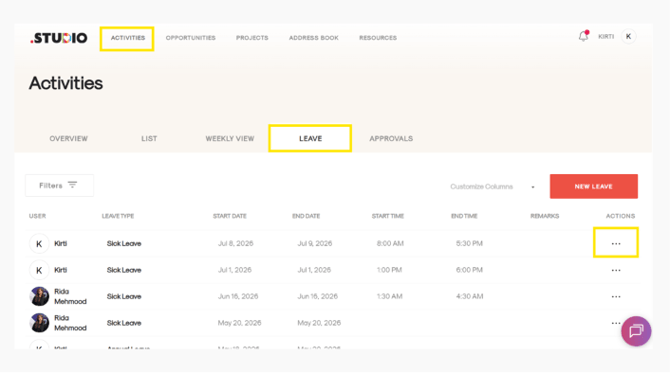
- Go to Activities and select Activities from the dropdown menu.
- Click on the Leave tab.
- Find the leave request you want to delete.
- In the Actions column, click the three dots (...) next to the leave request.
- Select Delete from the pop-up menu.
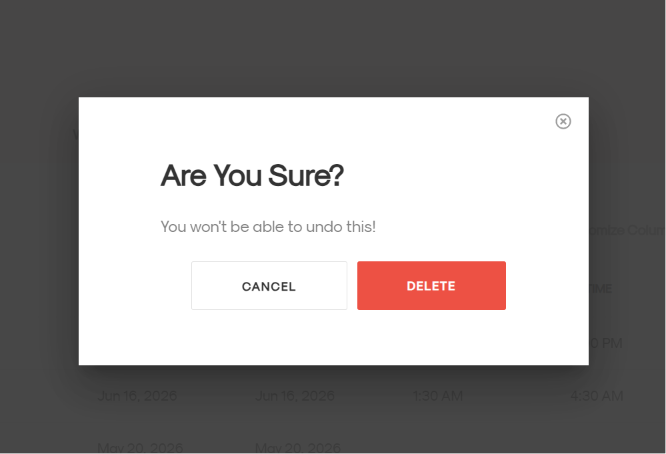
- A confirmation message will appear asking: “Are you sure? You won’t be able to undo this!”
- Click Delete in red to confirm.
Your leave request will be deleted successfully.