
To edit a leave request you have already submitted in .STUDIO:
- Go to Activities and select Activities from the dropdown menu.
- Click on the Leave tab.
- Find the leave request you want to edit.
- In the Actions column, click the three dots (...) next to the leave request.
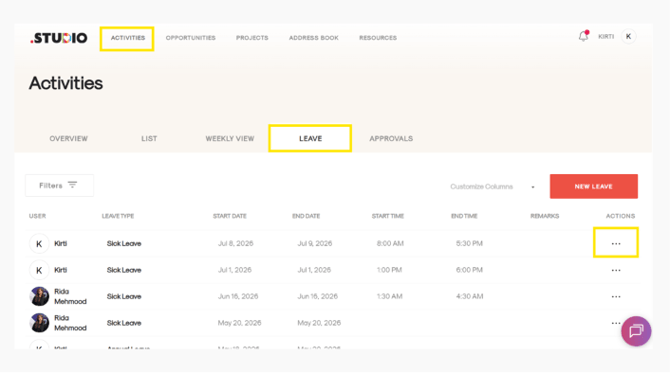
- Select Edit from the pop-up menu.
- An edit form will open. Make the necessary changes to your leave request.
- Click UPDATE LEAVE in red to save your changes.
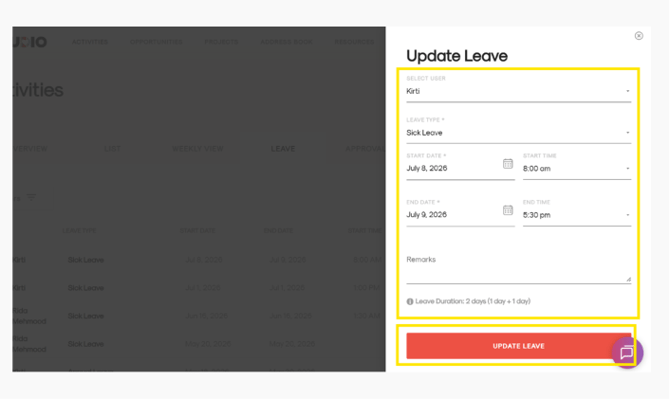
Your leave request will be updated successfully.