
Follow these steps to export your specification (Spec) as an Excel file:
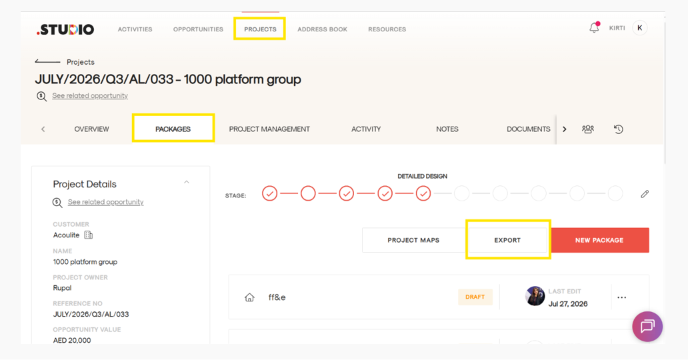
Step 1: Open Your Project
- Open the Project you want to export the Spec from.
- Navigate to the Packages tab.
- Here, you’ll see all the packages available within your project.
Step 2: Click Export
- Click the Export button.
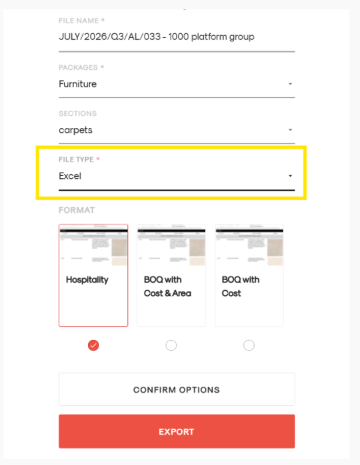
- A form will appear where you can enter the export details.
Step 3: Fill in the Export Details
Complete the required fields:
- File Name: Enter a name for your exported file.
- Packages: Select the package you want to export from the dropdown.
- Sections: If required, select the specific section you want to export from the dropdown.
- File Type: Open the dropdown and select Excel.
- Format: Select the required format.
Step 4: Export Your Spec
Once all the details are filled in:
- Review your selections.
- Click the Export button in red.
- Your Spec will be exported and downloaded as an Excel file.