
You can download the list of Projects in Excel format by following these steps:
- Navigate to the Projects tab.
- Open the List View.
- All your Projects will be displayed.
- Click on the Export button to download the file.
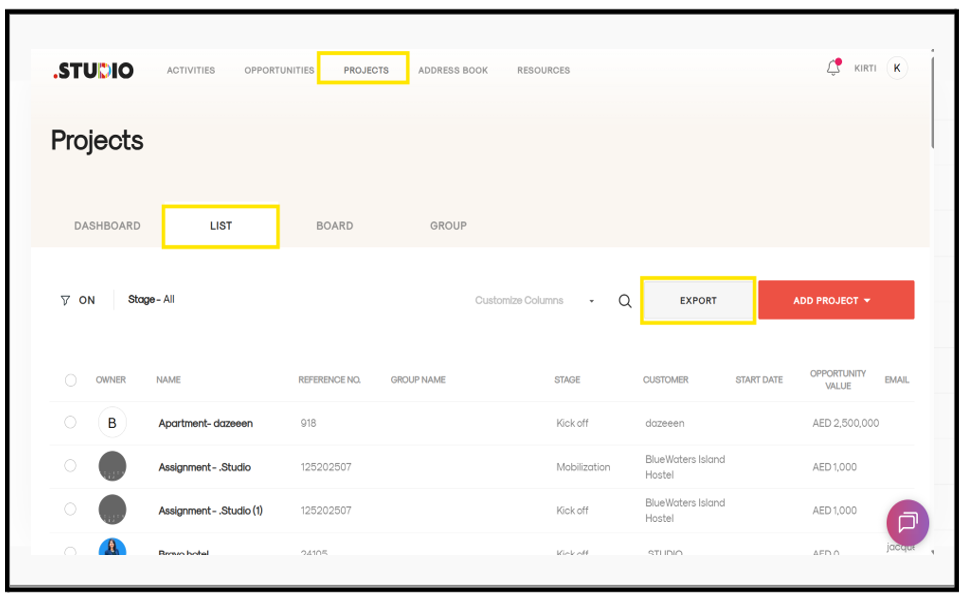
The project list will be exported as an Excel file.