Steps to view item history
- Open the project.
- Go to the required package.
- Open the item in detail page view.
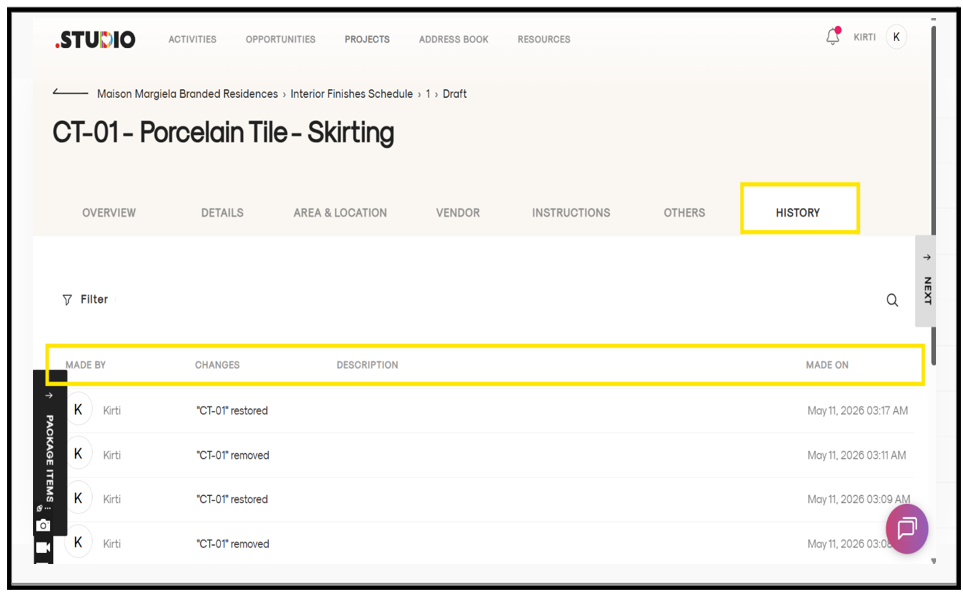
- Click on the History tab (last tab).
- You will see the full history of the item, including:
- Made by
- Changes
- Description
- Made on
The item history will be displayed successfully.