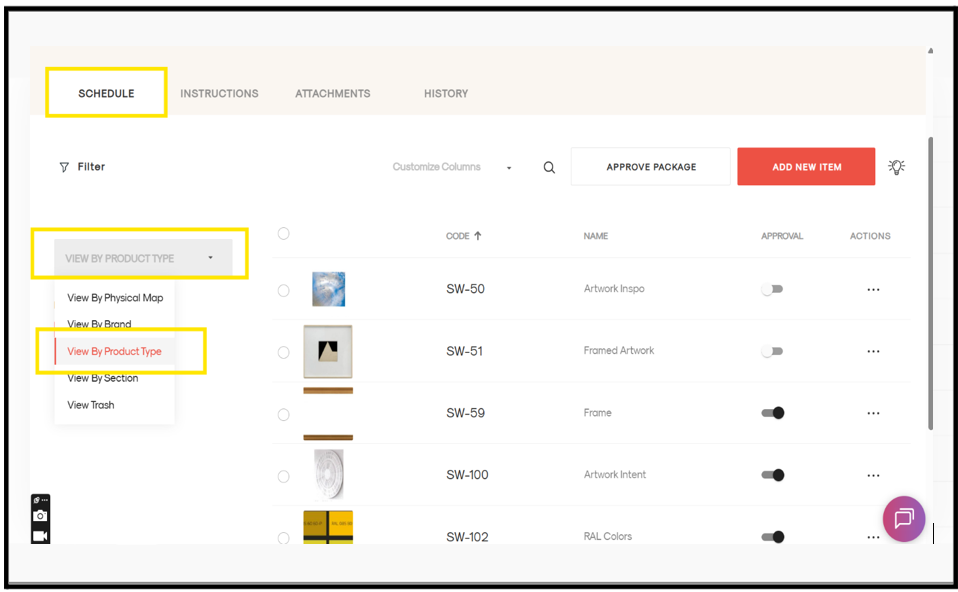
Steps to view the schedule by product type
- Open the project.
- Go to the required package.
- Click the Schedule tab on the left side.
- You will see the list of sections in the package.
- Click on the grey box.
- Select View by Product Type.
- Your schedule will be displayed based on the product type view.