
- In the schedule, click on the item.
The item will expand and display all available attributes. - Select the attributes you want to copy.
- Press Ctrl + C to copy the selected attributes.
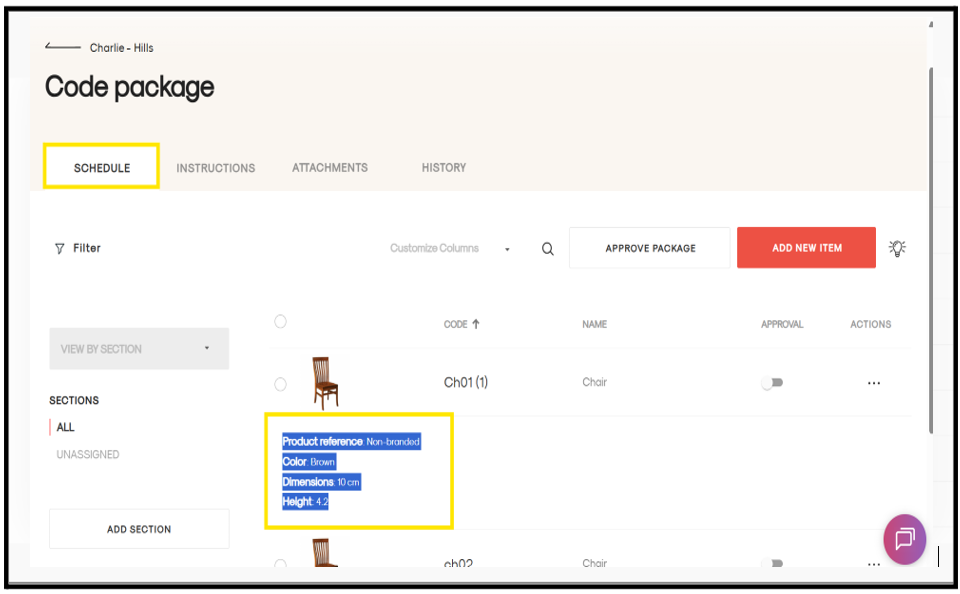
- Navigate to the item where you want to paste the attributes.
- Open the item in the Detail Page View.
- Click near the attributes section where you want the copied attributes to appear.
- Press Ctrl + V to paste the attributes.
The copied attributes will now be added to the selected item.