
To Customize the Section Ranks on Individual Packages
- Choose the specific project where you want to make changes.
- Open the package associated with the chosen project.
- On the left side of the package view, you'll find a list of existing sections.
- Click on the section you intend to re-rank.
- Look for the designated area provided to input the rank.
- Enter the desired rank for the section.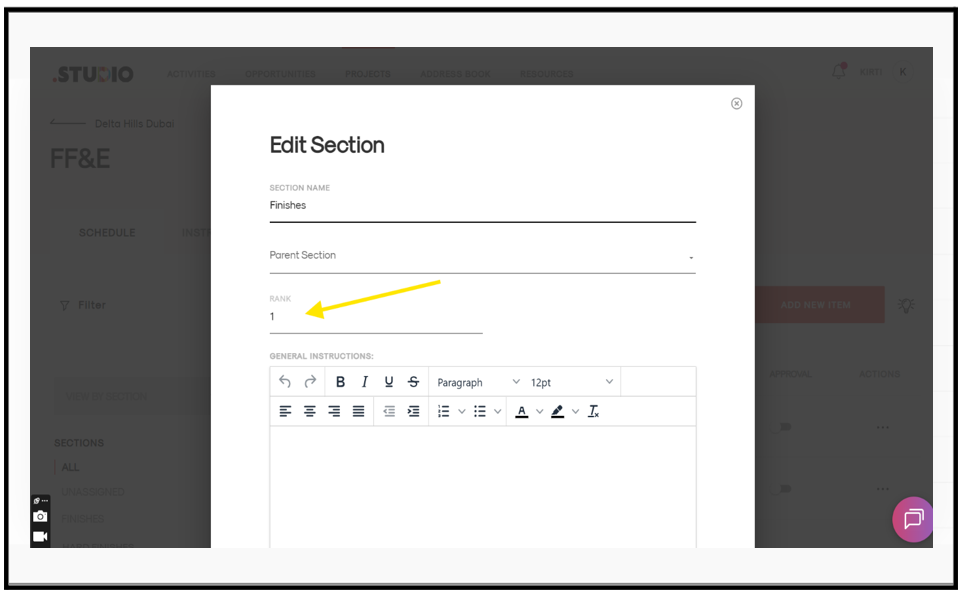
The section will now be positioned according to the assigned rank within this specific project.