
Steps to delete a section
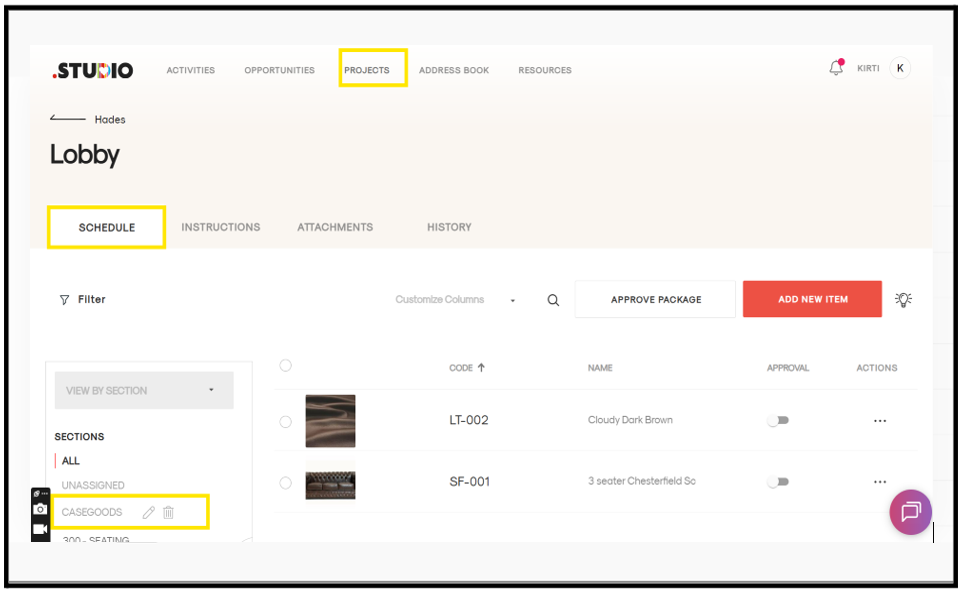
- Open the project.
- Go to the package.
- On the left side, click the Schedule tab.
- You will see the list of sections.
- Hover your mouse over the section you want to delete.
- A grey Delete option will appear.
- Click Delete.
-
A confirmation message will appear:
Delete Section
Are you sure you want to delete? - Click Confirm.
The section will be deleted successfully.