
You can record your approved leave by following these steps:
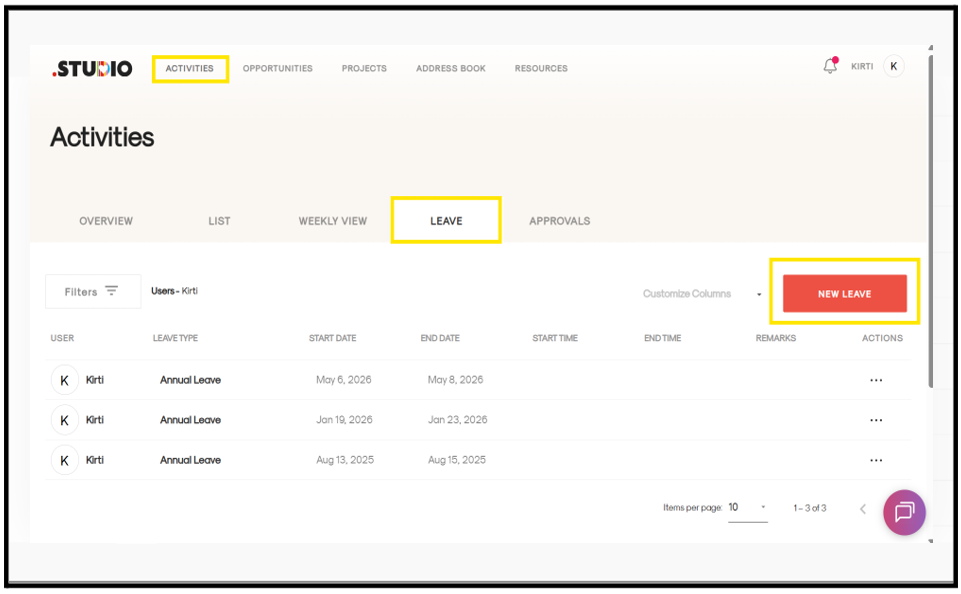
- Go to the Activities tab from the main menu.
- From the dropdown, select Activities.
- Navigate to the Leave tab.
- Click on “New Leave” (highlighted in red).
- A form page will open.
- A form page will open.
- Enter the required details such as:
- Leave type
- Start date and end date
- Time
- Remarks (if any)
- Click Apply Leave.
Your leave request will be created and recorded in the system. This will mark your approved leaves in .STUDIO.