
You can set which project stages are invoiceable from the project overview.
Follow these steps:
- Open the project where you want to update the invoice settings.
- Navigate to either the Overview tab or the Packages tab.
- Locate the project stages section. On the far right, click the grey pencil icon to edit the stages.
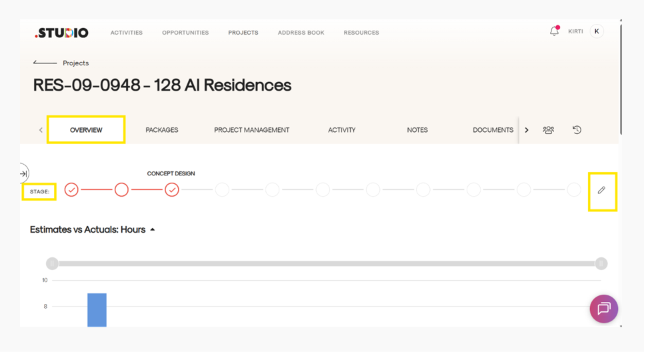
- A page will open displaying all the stages available for the project.
- Hover your mouse over each stage to view the available options.
- For each stage, you can manage:
- Stage Enable/Disable
- Invoice on Completion / Not Invoiced
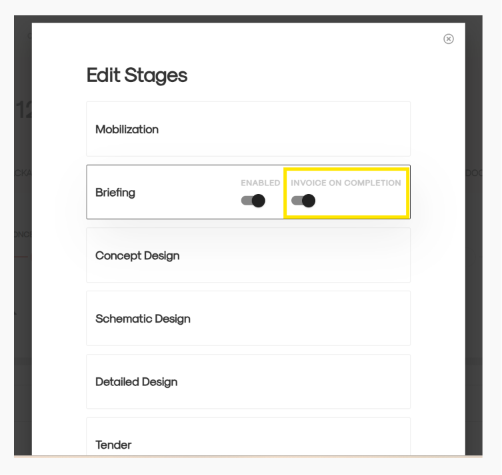
- Turn on the toggle for Invoice on Completion for the stages you want to make invoiceable.
- Once all changes are made, click Update to save your changes.
The selected stages will now be set to invoice on completion.