
-
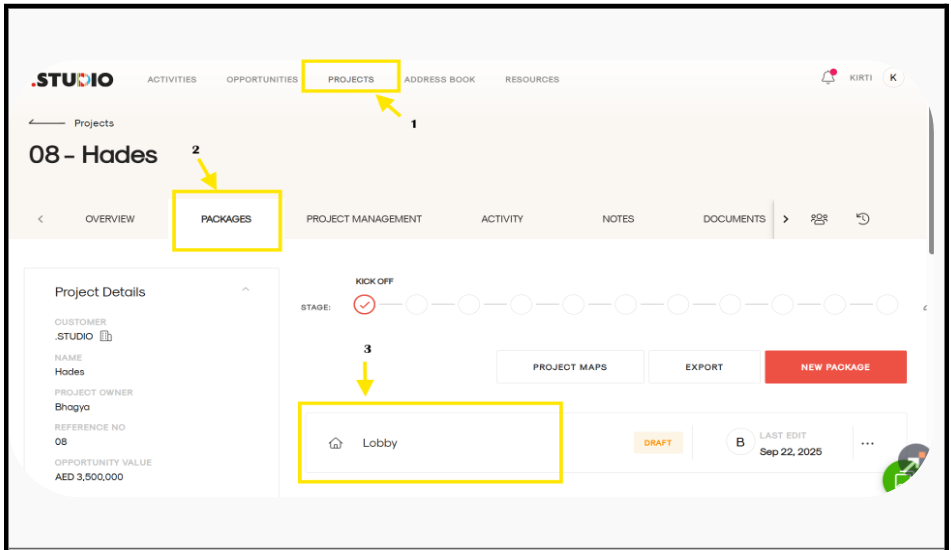
Go to the Projects tab.
-
Open the relevant Project.
-
Open the Package where you want to add products.
-
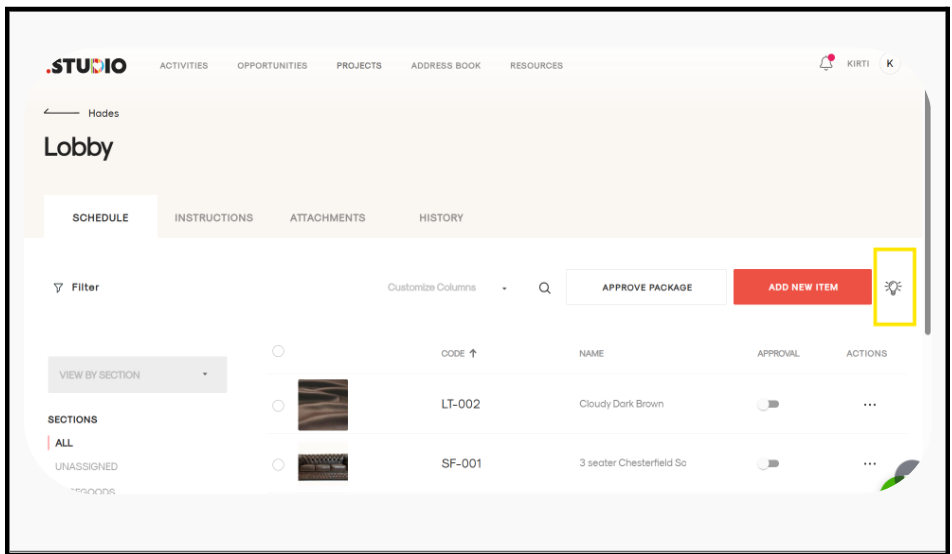
Inside the package, click on the bulb icon 💡.
-
A form-style page will open.
-
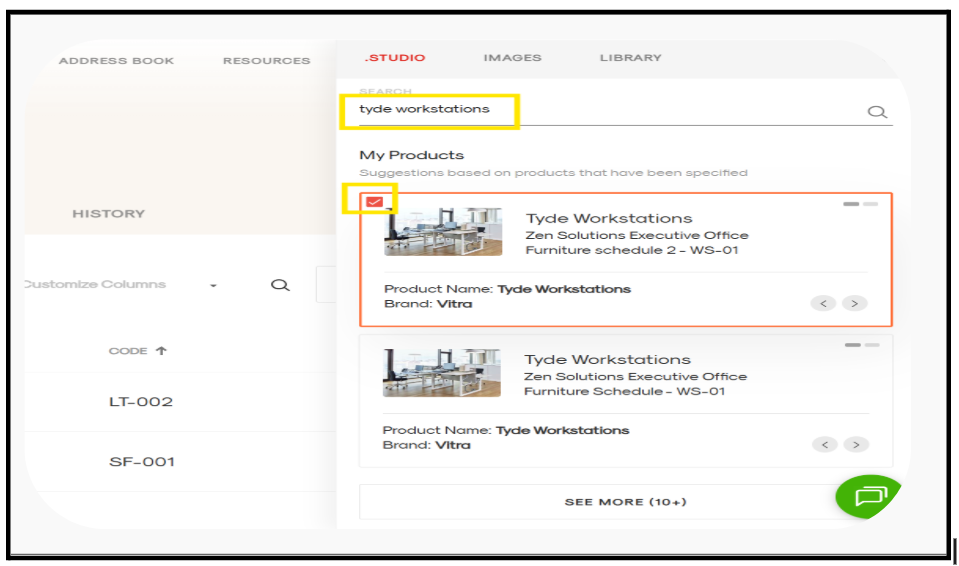
In the search bar, type the name of the product you are looking for.
-
The product will appear in the results.
-
Select the product by clicking the checkbox next to it.
-
Click Add to use the selected product in your package.