
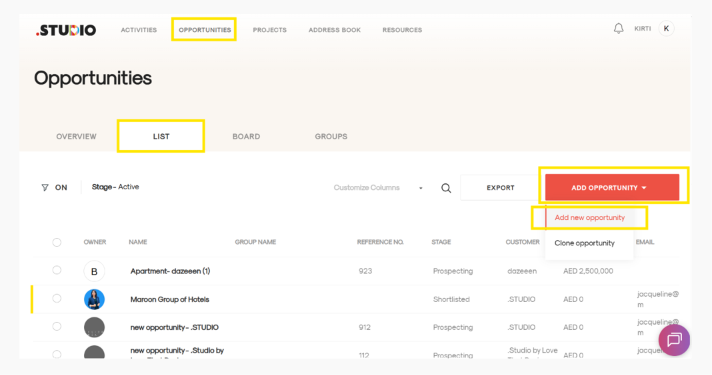
- Click on the Opportunity tab in the menu.
- You’ll be taken to the Opportunity List view. Click ADD OPPORTUNITY in red, then select Add New Opportunity from the dropdown. A form will open.
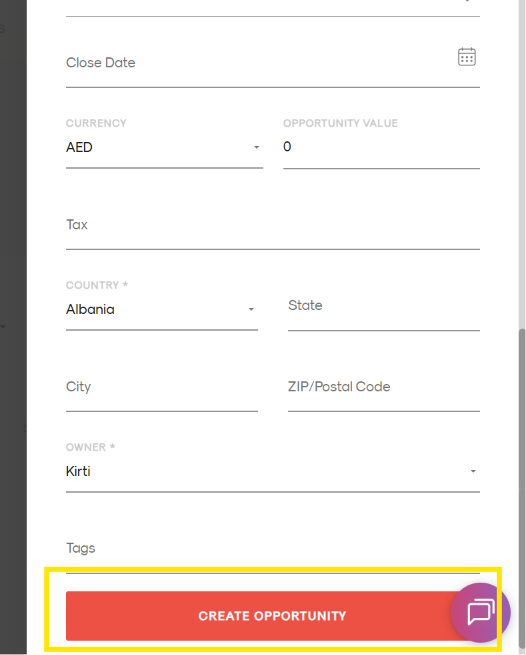
- Fill in the opportunity details. Make sure to complete all mandatory fields, including:
- Company Name
- Opportunity Name
- Country
- Owner – the person responsible for or managing the opportunity.
- If this is a new customer, you’ll be prompted to add their details in the next window.
- Opportunity Created: You will now be taken to the newly created opportunity.