
To delete a Company:
-
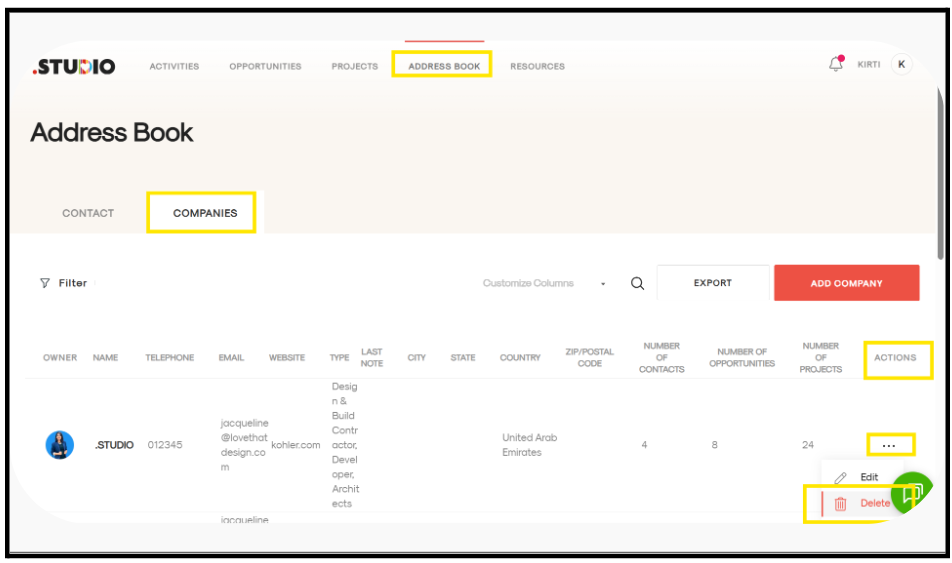
Go to the Address Book tab.
-
Open the Companies tab.
-
Locate the company you want to delete.
-
Under the Actions column (on the far right), click on the three dots (···) next to the company.
-
Select Delete from the dropdown menu.
-
Confirm the deletion when prompted.
The company will be successfully deleted from the Address Book.