
Open the Project
-
Navigate to the required project in .STUDIO.
Go to the Packages Tab
-
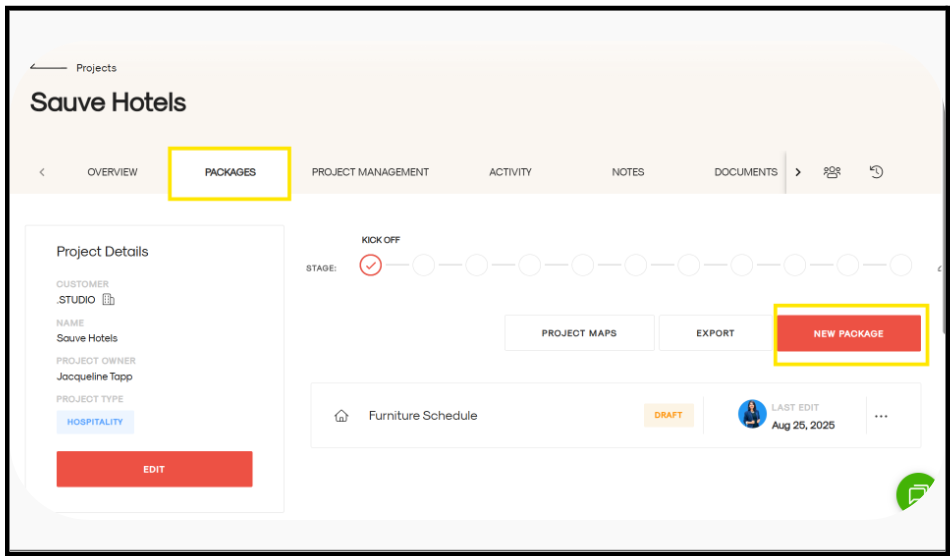
Click on the Packages tab.
-
Select New Package and enter the package name.
Create Sections and Sub-Sections
-
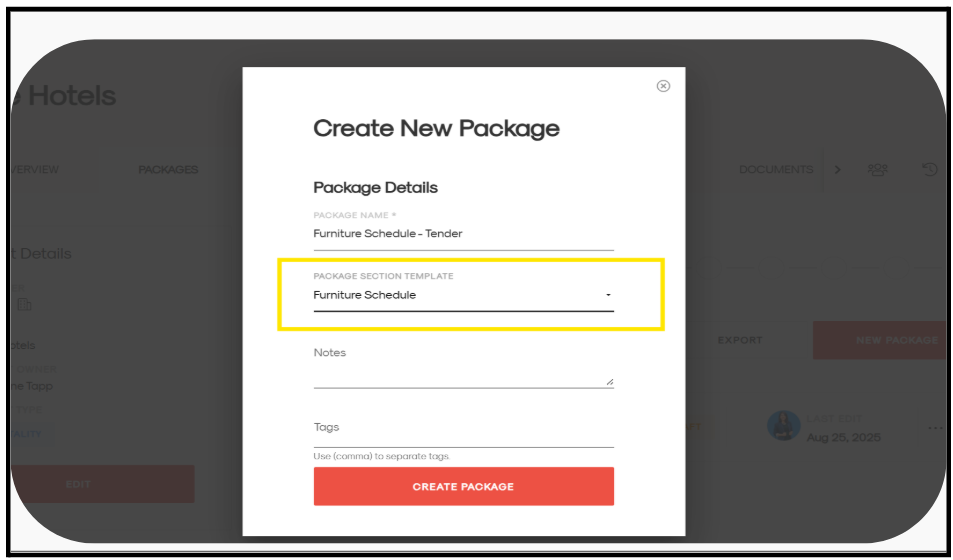
When creating the new package, you can choose from the Package Section Templates dropdown and apply the desired structure and hit Create package
Open the Original Package
-
Navigate to the package you want to duplicate.
Select Items Section by Section
-
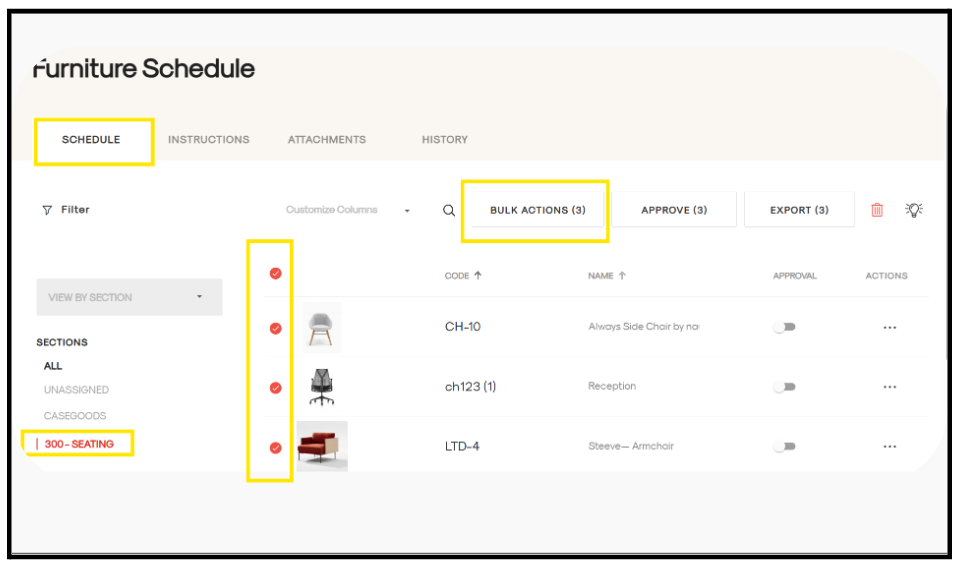
Open a section in the original package.
-
Select all items within that section.
Use Bulk Actions to Copy Items
-
Click Bulk Actions.
-
A new page will appear.
-
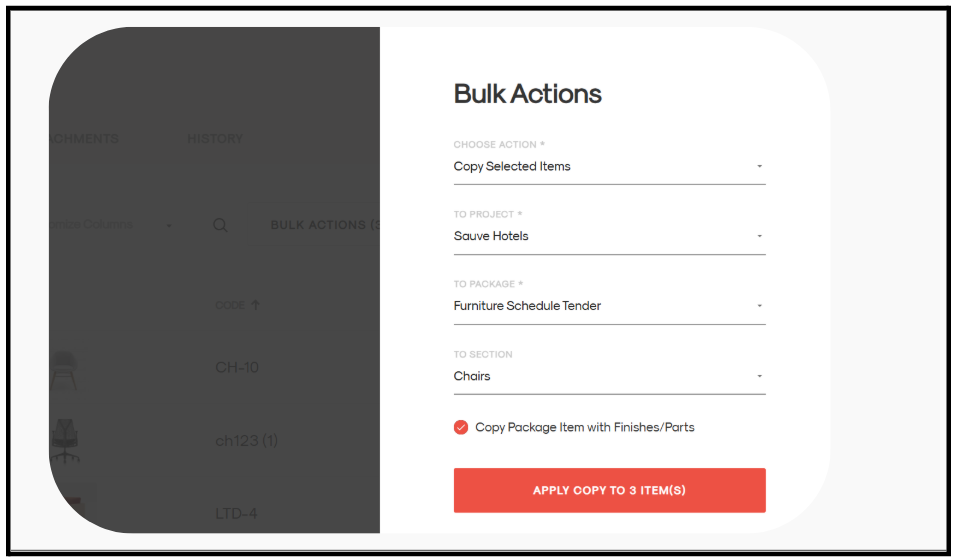
From Choose Action, select Copy selected items.
-
Fill in the required details:
-
To Project (if applicable)
-
To Package - Select the new package you created
-
To Section - Select the section
-
-
Click Apply to copy the selected items.
Repeat for All Sections
-
Repeat the same steps for each section until the entire package is duplicated.