
-
Open the project.
-
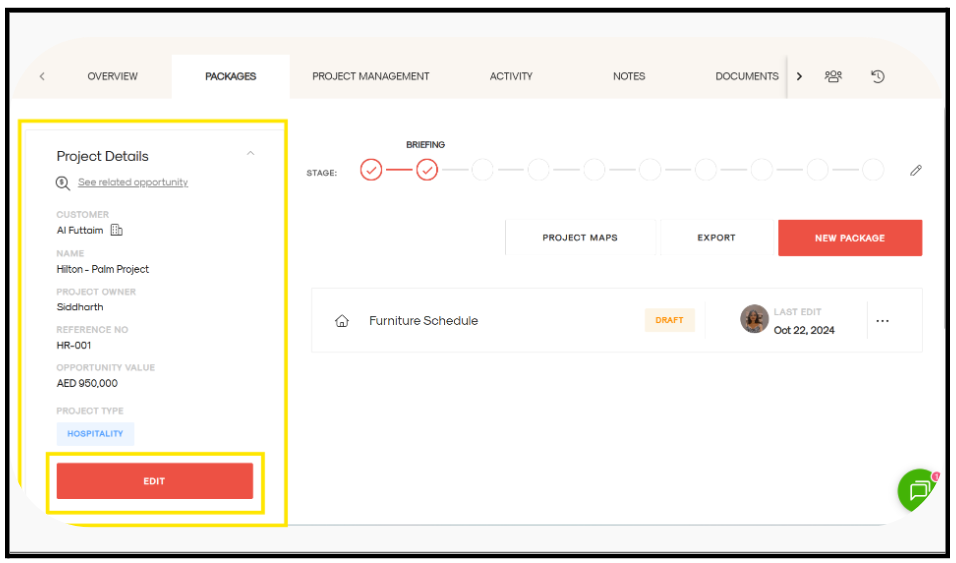
On the far left, locate the panel showing all project details.
-
Click Edit (as shown below).
-
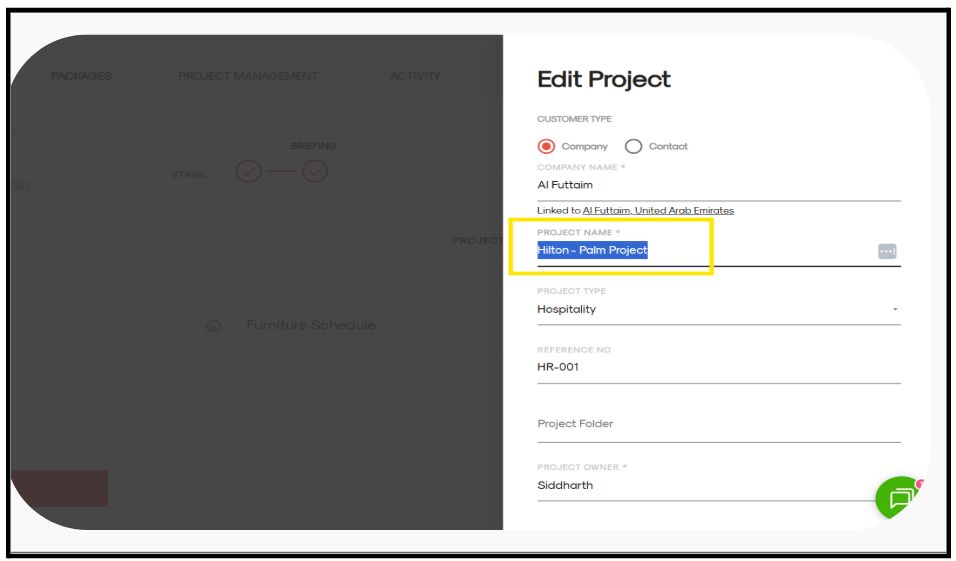
A form page will open.
-
In the Project Name field, make your changes.
-
Click Update Project.
The project name will be updated successfully.