
Start by logging in to your .STUDIO instance
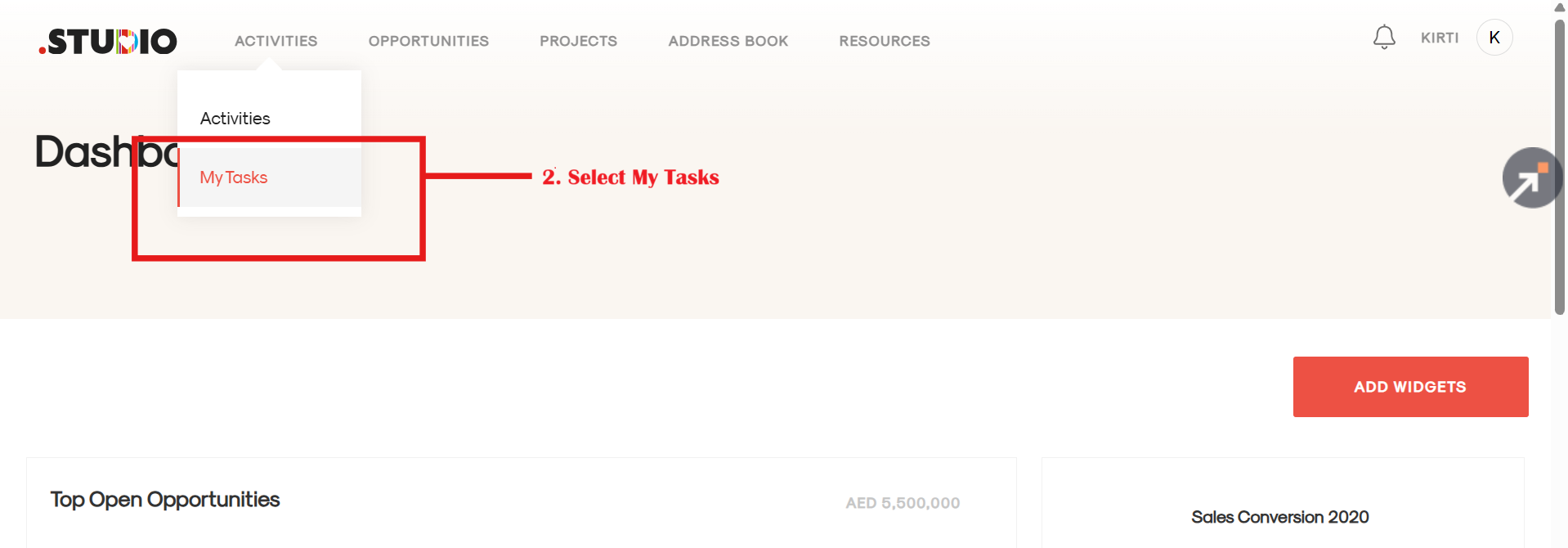
- Navigate to the Activities tab in .studio.

2. Click on the Activities tab dropdown and select My Tasks.
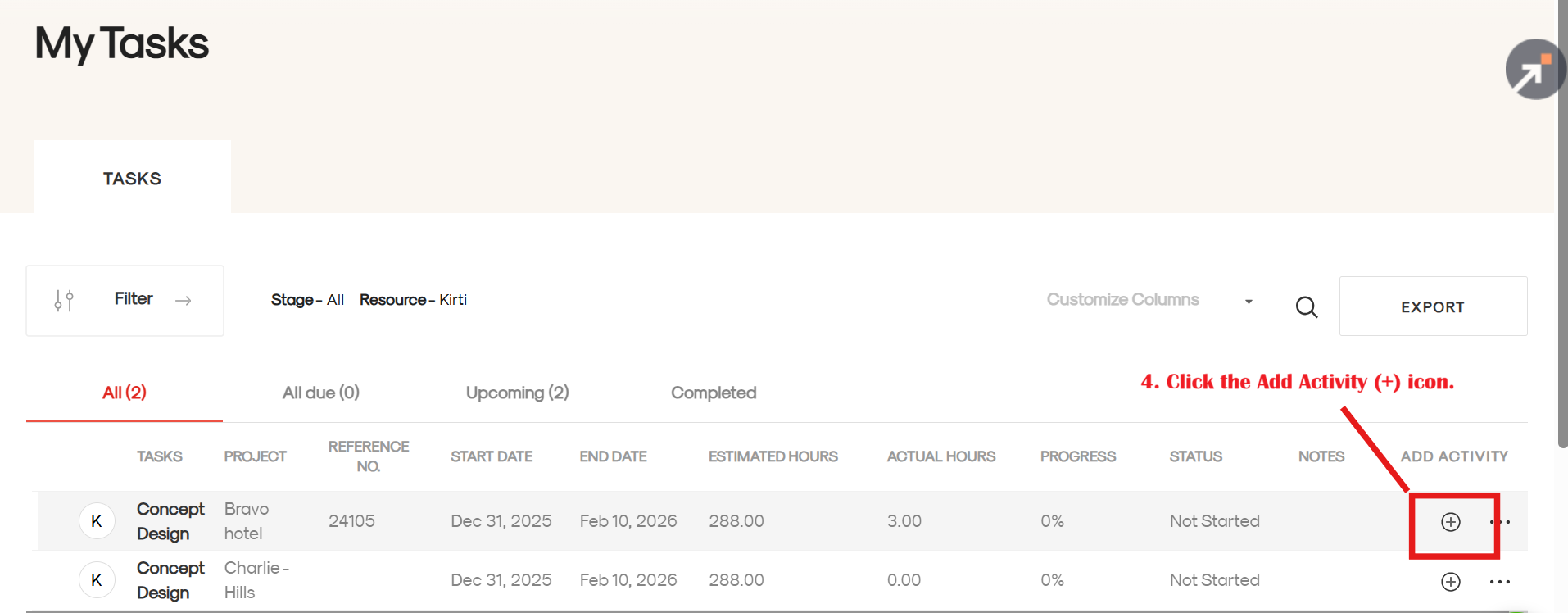
3. You will see a list of all tasks assigned to you.

4. On the far right of the task row, click the Add Activity (+) icon.
5. The Activity Details page will open. Enter the required details (hours, date, etc.)

6. Click Save and Add to log your time.