
To find a company in the Address Book:
-
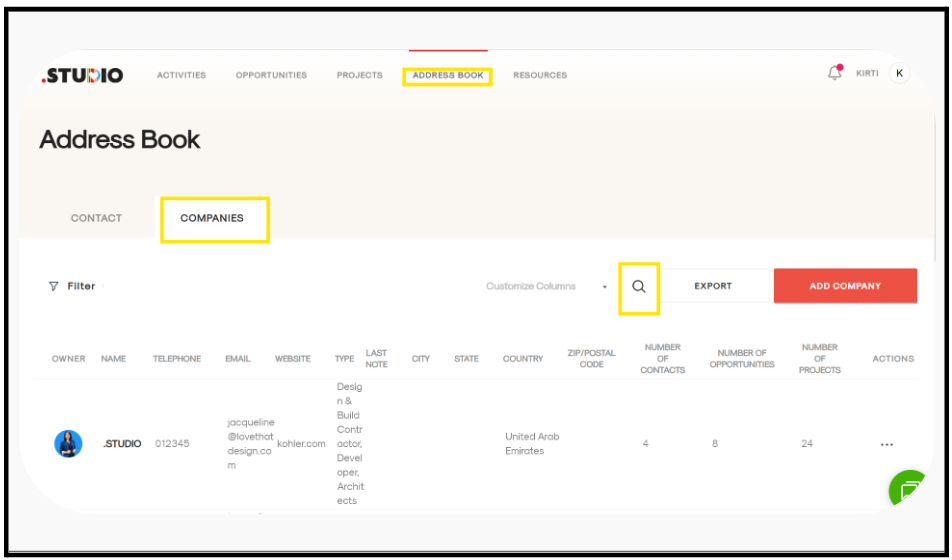
Go to the Address Book tab.
-
Open the Companies tab.
-
Click on the Search (magnifying glass) icon.
-
Enter a keyword related to the company you are looking for. You can search by any field you remember, such as name, email, or designation.
-
The results matching your keyword will be displayed.