
Steps to Log Time in list view
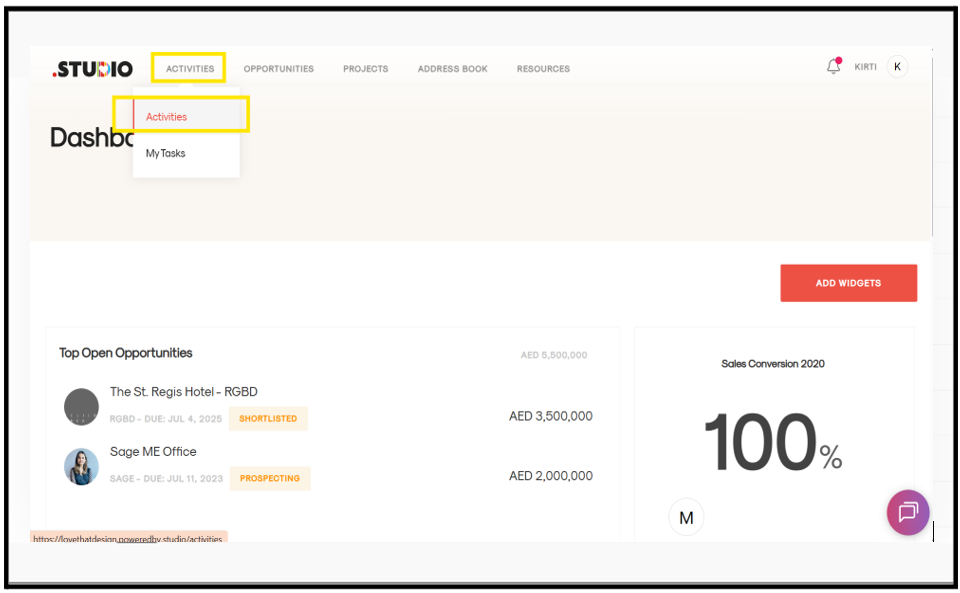
- Go to the Activities tab from the main menu.
- From the dropdown, select Activities.
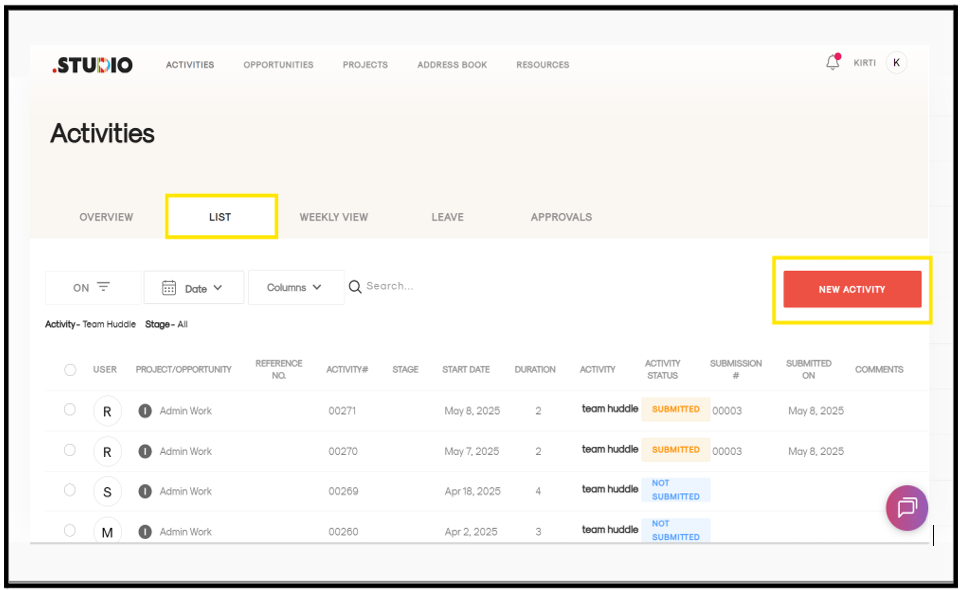
- Click on the List View tab.
- Click on the “New Activity” button (highlighted in red).
- A form page will open. Fill in the required details (assignment, task, date, hours, stage, etc.).
- Click Save.
- Your activity will be added successfully.