
From Project to Opportunity
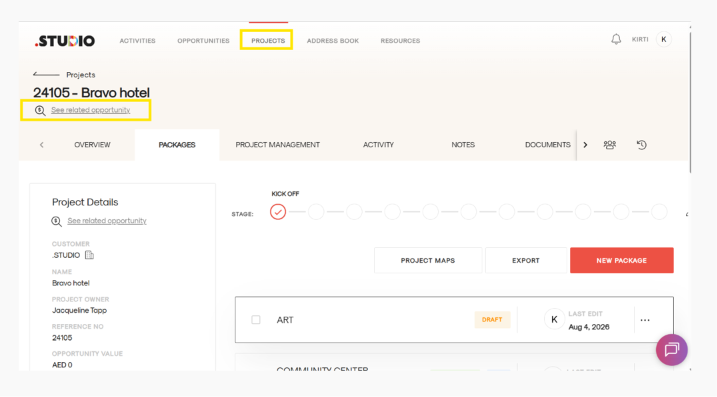
- Open the relevant Project.
- Under the project name in the top-left corner, look for the search icon with “See Related Opportunity.”
- Click on See Related Opportunity.
- You will be taken directly to the opportunity linked to that project.
From Opportunity to Project
You can follow the same process to navigate from an Opportunity to its linked Project.
This allows you to quickly move between the two records without having to search for them separately.