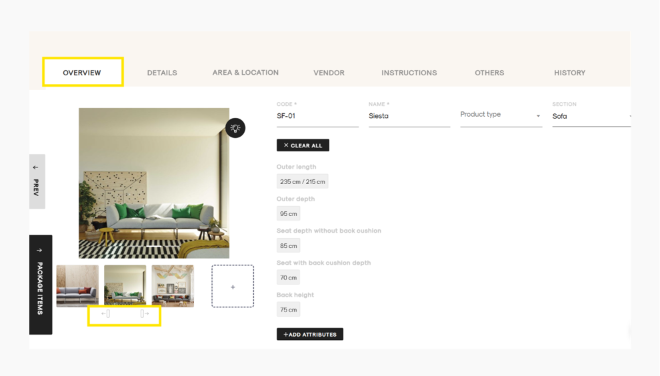
You can easily change the order of your uploaded product images in the Item Details Page View. Reordering the images allows you to choose which image appears first.
Follow these steps:
- Open the item in Item Details Page View.
- In the Images section, Hover your mouse over the image you want to move.
- Navigation arrows (← and →) will appear on the image thumbnail.
- Click the:
- Left arrow (←) to move the image one position to the left.
- Right arrow (→) to move the image one position to the right.
- Continue using the arrows until the images are arranged in your preferred order.