
If you no longer want a part to be associated with an item, you can unlink it from the item's Details tab.
Steps- Open the item from which you want to remove the part.
- Navigate to the Details tab.
- Locate the Parts section, where all parts linked to the item are displayed.
- Find the part you want to unlink.
- On the far right side of the part, click the three dots menu.
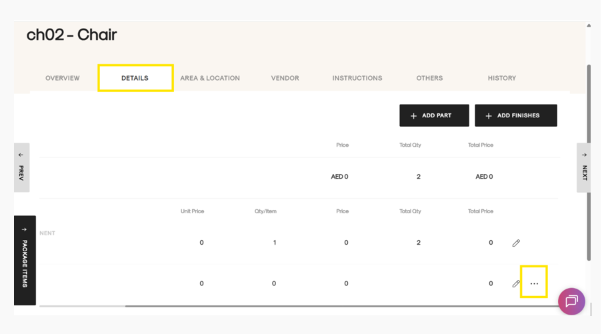
- Select Unlink.
- A confirmation message will appear asking you to confirm the unlink action.
- Click Unlink to confirm.
The part will be successfully unlinked from the item and will no longer appear under the item's Parts section.