
To update any information after a contact has been created:
-
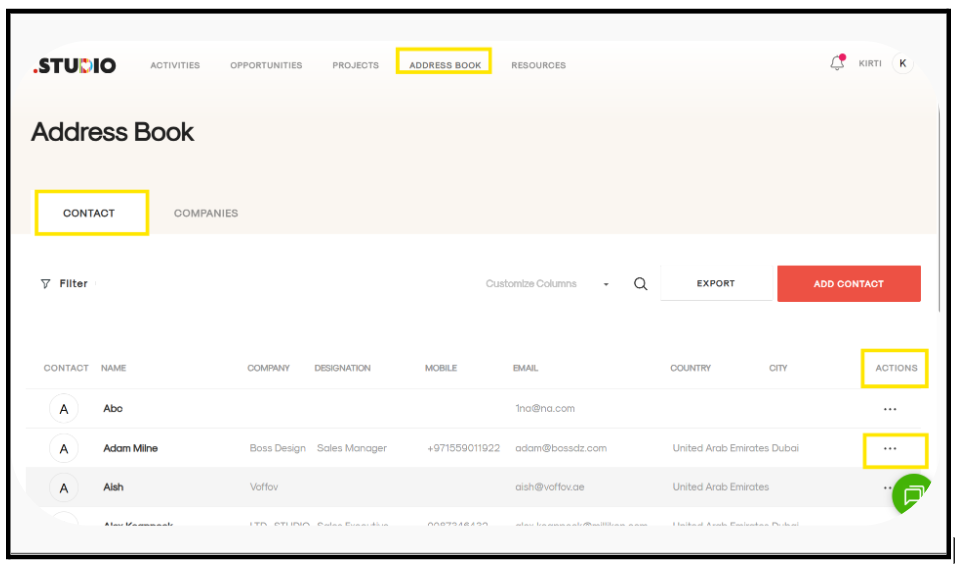
Go to the Address Book tab.
-
Open the Contact tab.
-
Move to the far right under the Actions column.
-
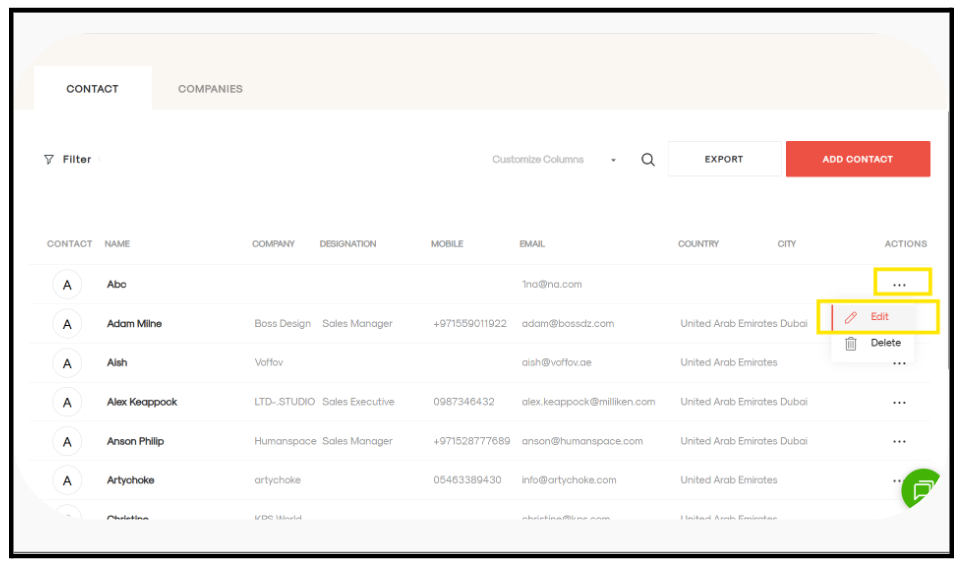
Click on the three dots (···) and select Edit.
-
A form page will open. Update the information as needed.
-
Click Update to save your changes.
The updated information will be reflected in the company record.