
To view your applied leave in .STUDIO:
- Go to Activities and select Activities from the dropdown menu.

- Click on the Leave tab.
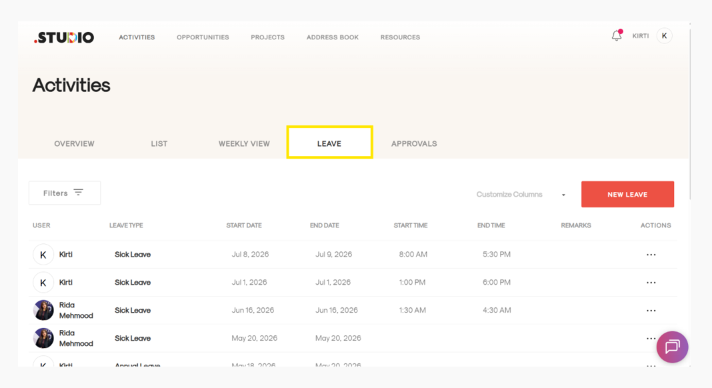
- Here, you can view all the leave you have applied for, along with the relevant details.
To view your applied leave in .STUDIO: