
You can set a featured image for an item from the item's detail page.
- Open the item in Detail Page View.
- Navigate to the Images section, where you can see all images added to the item.
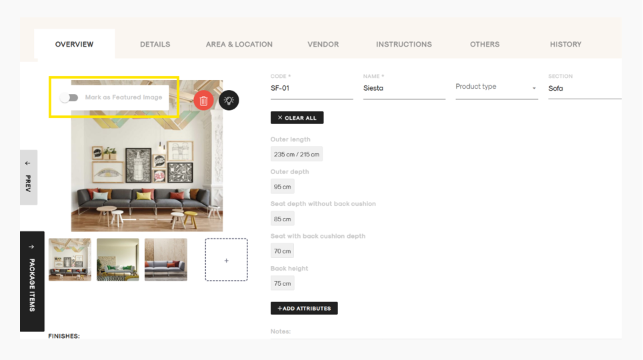
- Hover your mouse over the image you want to set as the featured image.
- In the top-left corner of the image, you will see the "Mark as Featured Image" toggle.
- Turn on the toggle to set the image as the featured image.
The selected image will now be set as the featured image for the item.